
Daily Nanny
Dave CoffinCommunication
3.460.00 Reviews
- Version
- 7.6.0
- Installs
- 10.00K
- Age Rating
- Everyone
Screenshots
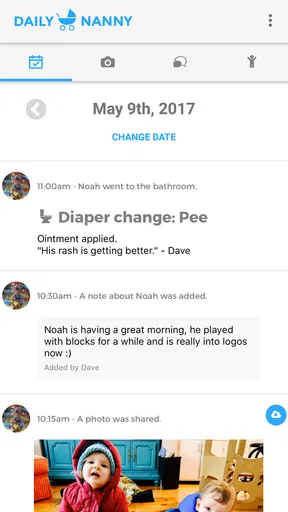
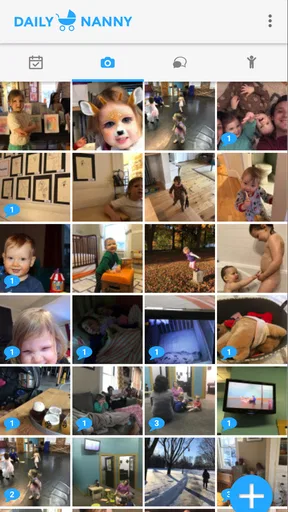
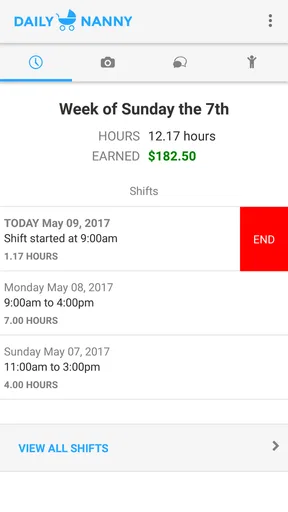
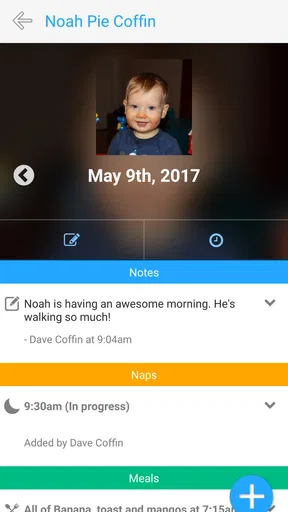
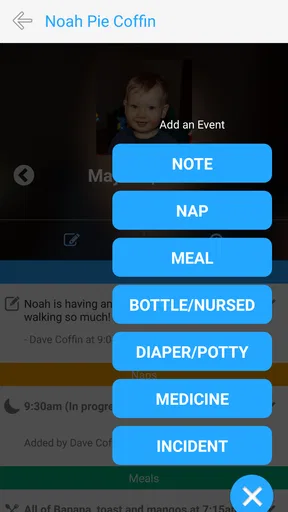
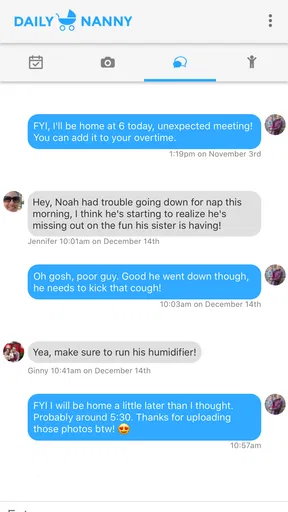
Our Review of Daily Nanny
 Analysis by Appyee
Keeping a parent and a nanny in the same loop sounds simple, but everyday childcare quickly creates small communication gaps: a changed pickup time, a forgotten note about lunch, or a question that arrives while someone is busy. Daily Nanny is a free communication app from Dave Coffin built around that parent-and-nanny relationship. I found its appeal less in replacing every messaging tool and more in giving this particular arrangement a dedicated place to stay organized.
That focus matters. A general messenger is familiar, but family conversations can become mixed with unrelated chats, photos, and notifications. A childcare-focused app can make the daily handoff easier to follow, provided everyone actually uses it consistently. Daily Nanny has an average rating of 3.4 from around 131 ratings, so the experience is clearly not perfect for every household. My impression is that it can be useful when both sides agree on a simple routine, but it needs a little patience during setup and when a message or update does not appear as expected.
Where Daily Nanny Usually Feels Difficult
The first point of friction is not necessarily the app itself. It is the relationship between the people using it. A parent may expect the nanny to check updates throughout the day, while the nanny may reasonably be concentrating on the child rather than watching a phone. If the household has not agreed on when the app should be checked, a missed update can look like a technical failure even when it is simply a workflow problem.
I recommend deciding in advance what belongs in Daily Nanny and what still requires a direct call or another urgent method. Routine notes, daily changes, and reminders fit the app’s purpose better than time-critical emergencies. This distinction prevents a common mistake: treating a communication organizer as though it were a guaranteed real-time emergency channel.
Another source of confusion is using several conversations for the same child or day. If one person writes a pickup change in one place and adds a second note somewhere else, the latest instruction can be hard to identify. The best experience comes from treating the app as a shared record: one clear update, written in plain language, with the relevant time or action included.
There is also a human factor when more than one caregiver is involved. A parent, nanny, grandparent, or backup sitter may each assume somebody else has read the latest note. Daily Nanny can help centralize communication, but it cannot remove the need to confirm responsibility. I would name the person who is expected to act on an important update rather than writing a vague message for everyone.
What I would settle before inviting anyone
Before relying on the app, I would agree on three basic habits. First, decide who creates the initial arrangement and who joins it. Second, choose a short daily check-in time, such as before the day begins and after the child returns home. Third, define what counts as urgent. These decisions sound ordinary, yet they solve more problems than repeatedly reinstalling an app or sending duplicate messages.
A useful rule is to write one update per topic. A change to pickup should not be buried inside a long paragraph about meals, activities, and tomorrow’s plans. Separate notes are easier to scan, especially when somebody opens the conversation while handling a busy afternoon. This is one of the less obvious ways to get more value from a simple communication tool: the quality of the record depends heavily on how consistently people write.
Daily Nanny is rated for Everyone, which makes it approachable for a broad household audience. That does not mean every family will find it equally comfortable. People who already have a trusted shared calendar and a messaging routine may see little reason to add another app. In contrast, families who want childcare communication kept apart from personal chats may appreciate the narrower purpose.
Setup Checks That Prevent Avoidable Problems
Daily Nanny was released on September 5, 2017, and its current version is 7.6.0. It supports devices running Android 7.0 or later. Before asking another caregiver to depend on it, I would check that each device meets that basic requirement and that the app has been updated normally. An older phone can create confusing behavior that looks like an account or communication issue.
I would also install the app on the device each person will actually carry during the day. Testing on a tablet and then expecting a phone to behave identically is an easy way to miss a problem. After installation, both users should open the app and complete the same basic path: enter the relevant details, confirm the connection, send a harmless test message, and make sure the other person can see it.
The test message should be specific enough to verify that the right people are connected. “Test” is not very helpful. A note such as “Pickup test for today” makes it easier to check whether the intended conversation is being used. I would then ask the other person to reply, because receiving an update and successfully sending one are separate parts of the workflow.
If a user is unsure whether an update was saved, the first practical step is to return to the relevant screen and look for the message or entry again before creating a duplicate. Repeated tapping can lead to repeated notes, which makes the record less trustworthy. Closing and reopening the app can also be a reasonable general check if the screen appears stale, but I would avoid making rapid changes until the original status is clear.
Because Daily Nanny is free to download, it is easy to try without committing to an upfront purchase. The app also lists in-app purchases ranging from $4.99 to $39.99 per item. I would review any purchase screen carefully and make sure every adult in the arrangement understands which functions, if any, require payment. This is particularly important when one person installs the app casually and another assumes the entire experience is free.
A calmer first-day routine
On the first real day, I would not begin with a complicated schedule or a long history of instructions. Start with one current plan: who is caring for the child, the expected handoff, and the most important note for that day. Once both people are comfortable finding and sending updates, add more detail gradually.
This approach exposes setup friction early. If the nanny cannot find the parent’s message, or the parent cannot tell whether the nanny replied, it is better to discover that during a low-pressure test than during a delayed pickup. I would keep a backup way to contact the other adult until the app has worked reliably through several ordinary exchanges.
A further tip is to use consistent wording for recurring events. If one person writes “school pickup,” another writes “collect from class,” and a third says “afternoon handoff,” the meaning may still be clear, but searching mentally through a busy conversation becomes harder. Repeating familiar labels makes the daily record more useful without requiring extra features.
Recovering the Workflow When an Update Goes Missing
When a message or change seems to have disappeared, I would troubleshoot in a fixed order rather than immediately blaming the app. First, check whether the sender used the intended conversation or area. Next, confirm that the sender completed the action rather than leaving a draft or backing out. Then ask the recipient to reopen the app and look again before either person repeats the update.
This sequence matters because duplicates can be more damaging than a short delay. If a parent sends the same pickup instruction three times, the nanny may not know whether the time changed three times or whether the messages are accidental repeats. A single follow-up that says “Please use the latest pickup time in my last message” is clearer than adding several competing corrections.
If the app behaves strangely, I would use ordinary device checks: confirm the phone has a working internet connection, close and reopen the app, and make sure the operating system is not blocking normal use through a nearly full device or an outdated installation. These are general troubleshooting steps, not guarantees, but they often distinguish a temporary device problem from a problem with the shared arrangement.
I would avoid deleting the app or clearing information as a first reaction, especially if there are important childcare notes that have not been copied elsewhere. Destructive troubleshooting can remove local context or force everyone to rebuild the connection. A safer approach is to record the essential current plan in a separate safe place, then try the least disruptive checks first.
The most useful recovery habit is to separate communication repair from schedule repair. If today’s pickup is uncertain, solve that immediately through the agreed backup contact. After the child is safely accounted for, investigate why the app update was missed. Trying to debug while a handoff is already late puts pressure on both adults and can turn a minor technical issue into a stressful childcare moment.
Using the app as a daily record instead of a message dump
Daily Nanny works best when updates have a clear purpose. I would use a compact pattern: what changed, when it applies, and what the other person needs to do. For example, “Grandparent will collect the child at the usual time; please confirm you saw this” is more actionable than a long explanation that leaves the actual instruction near the end.
For recurring details, a short end-of-day summary can reduce next-morning confusion. Mention only changes, exceptions, or items the next caregiver needs to know. This avoids turning the app into a diary that nobody has time to read. It also makes an important update easier to spot among routine notes.
One practical trade-off is detail versus speed. More context can prevent misunderstandings, but excessive detail can hide the decision. I would put the action first and the explanation second. This is especially helpful when the recipient is reading with one hand while supervising a child.
When the App Is Not the Cause
Some communication failures come from unclear household arrangements rather than software. If the parent changes plans verbally and assumes the nanny will pass the information to another caregiver, no app can create a reliable record from that missing step. The person who knows about the change should write it down directly or confirm that the responsible adult has received it.
Timing is another issue. A nanny may not be able to respond immediately while preparing food, crossing a street, or supervising play. I would not interpret a delayed reply as proof that the message failed. For important changes, ask for confirmation during an agreed check-in period, and use the backup contact when the decision cannot wait.
There is also a limit to what a dedicated childcare app can replace. A shared calendar may be better for appointments that repeat weeks ahead. A normal messaging app may be better when several relatives already coordinate in one established group. A phone call remains the sensible choice when tone, urgency, or a complicated explanation matters more than maintaining a written trail.
Daily Nanny is therefore not the right choice for a family looking for a complete scheduling platform, a broad household management system, or a guaranteed emergency service. Its value is narrower: it gives parents and nannies a focused communication space. If your main need is calendar synchronization across many people, another tool will likely feel more natural. If your main need is keeping childcare notes separate from general family chatter, this app has a more convincing case.
The rating of 3.4 suggests a mixed experience among the people who have reviewed it, and I think that is fair context for a trial. An app like this can feel excellent when both adults follow the same routine and frustrating when one person uses it occasionally while the other treats it as the official record. The difference is not just technical quality; it is whether the household has agreed to make the app part of its communication habit.
Who will benefit most
I would recommend trying it first for a small, stable arrangement: one parent or household contact, one regular nanny, and a clear daily handoff. That setup makes it easier to see whether the app reduces missed details. It can also suit families who want a dedicated channel without mixing childcare instructions into personal conversations.
I would be more cautious for families with rotating caregivers, many children, or frequent last-minute changes. More participants create more opportunities for outdated instructions and mistaken assumptions. In that situation, the app may still help, but only if the household establishes one authoritative place for the current plan and names who is responsible for checking it.
Privacy and discretion should also guide the decision. I would avoid putting unnecessary sensitive information into any communication app. Share the minimum detail needed for the childcare task, keep instructions factual, and use a direct conversation for matters that should not be distributed broadly. This is sensible practice even when an app is designed for family communication.
My Practical Verdict After Using It
The strongest reason to choose Daily Nanny is its focused purpose, not a promise to solve every childcare problem. I like the idea of separating nanny communication from the noise of ordinary messaging, and the app can make routine updates easier to locate when everyone follows the same writing and checking habits. Its free entry point makes a trial straightforward, while the listed in-app purchases mean I would still inspect the payment details before making it part of a long-term routine.
My recommendation is to treat the first week as a controlled test. Agree on the communication rules, send a test exchange, use it for ordinary updates, and keep a backup contact method available. Pay attention to whether both people can find the latest instruction without asking each other to resend it. That practical test tells you more than the app’s summary because it measures the part that matters: whether your household can use it consistently.
For a parent and nanny who need a dedicated communication channel, Daily Nanny is worth considering. It is less suitable for people who already have a reliable shared calendar and messaging system, or for anyone expecting a full childcare management suite. The app has been installed by over 10 thousand users, and its age rating is Everyone, but those broad figures do not replace a household-level trial.
Ultimately, I would keep it only if it reduces uncertainty rather than adding another place to check. When a short, well-written update reaches the right caregiver and remains easy to find, the app does its job. When the household cannot agree on who checks it, when urgent matters are sent there without confirmation, or when competing tools remain active, it becomes another source of confusion. Used with clear boundaries, Daily Nanny can be a practical communication aid; used without those boundaries, a phone call or an already trusted family tool may be the better choice.
Verdict
Strengths of Daily Nanny
- Simple daily planning for childcare routines and tasks.
- Helps organize feeding, naps, activities, and other care details.
- Useful for sharing consistent care instructions with family members.
- Can reduce forgotten tasks during busy childcare days.
- Practical for parents managing recurring nanny-related routines.
Limitations of Daily Nanny
- May require regular manual updates to keep information accurate.
- Features may feel limited for families needing detailed childcare records.
- Not a replacement for direct communication with your nanny.
- Privacy should be considered when entering sensitive child information.
- Some users may find the interface less useful for multiple children.
Similar Picks in This Category
View All
Google Messages
Google LLC4.6

Gmail
Google LLC4.1

Google Meet
Google LLC4.4

Google Chrome
Google LLC4.1

WhatsApp Messenger
WhatsApp LLC4.6

Carrier Services
Google LLC4.2
Frequently Asked Questions
What is Daily Nanny, and who is it designed for?
Daily Nanny is a childcare organization and routine-management app designed to help parents, guardians, and caregivers coordinate daily activities for children. Depending on the available features, it may be used to organize schedules, record important notes, manage tasks, and keep relevant childcare information in one place. It can be useful for families who want a more structured way to communicate and follow everyday routines.
What features can I expect from the Daily Nanny app?
Daily Nanny may include tools for planning childcare routines, tracking activities, recording meals or naps, managing appointments, and sharing updates between parents and caregivers. The exact features can vary according to the app version, account type, and operating system. Before downloading, users should review the current store description to confirm which functions are available and whether any feature requires a subscription or additional setup.
Is Daily Nanny suitable for communication between parents and caregivers?
Yes, Daily Nanny is intended to support clearer coordination between the people responsible for a child’s care. Users may be able to share schedules, notes, reminders, and daily updates, reducing the chance of missed information. However, it should complement direct communication rather than replace it, especially for urgent situations, medical concerns, emergencies, or decisions requiring immediate attention.
Does Daily Nanny protect children’s and family information?
Because childcare apps can involve sensitive information, including routines, contact details, health notes, and personal updates, privacy should be considered before creating an account. Review Daily Nanny’s privacy policy, requested permissions, data-storage practices, and account-deletion options before use. Avoid entering unnecessary sensitive information, and make sure only trusted parents or caregivers receive access to shared family data.
Is Daily Nanny free to download and use?
The download price and available features may depend on the platform, region, and version of Daily Nanny. Some functions may be free, while advanced tools, additional users, premium storage, or organizational features could require in-app purchases or a recurring subscription. Check the Google Play Store or Apple App Store listing for current pricing, trial conditions, supported devices, and cancellation details before proceeding.
